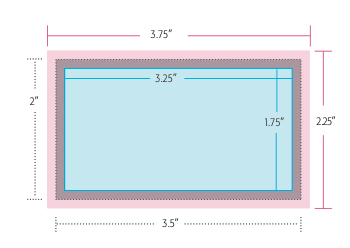
Correct Layout Guidelines for Print-Ready Artwork
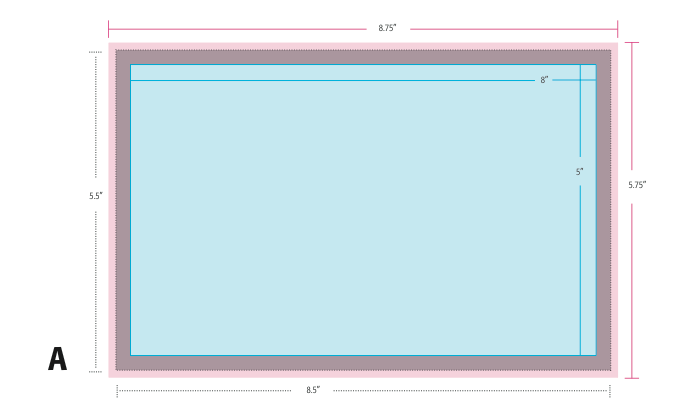
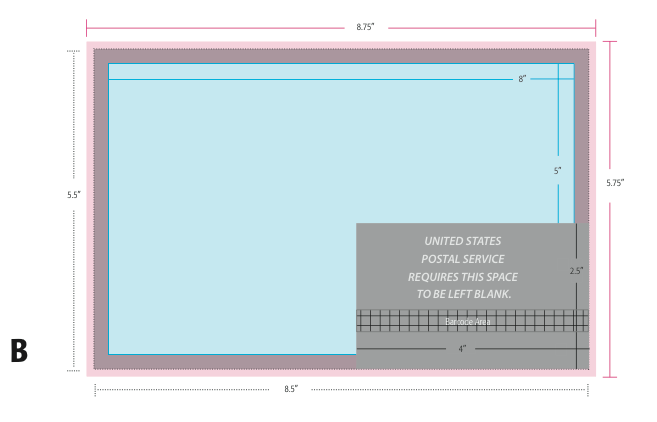
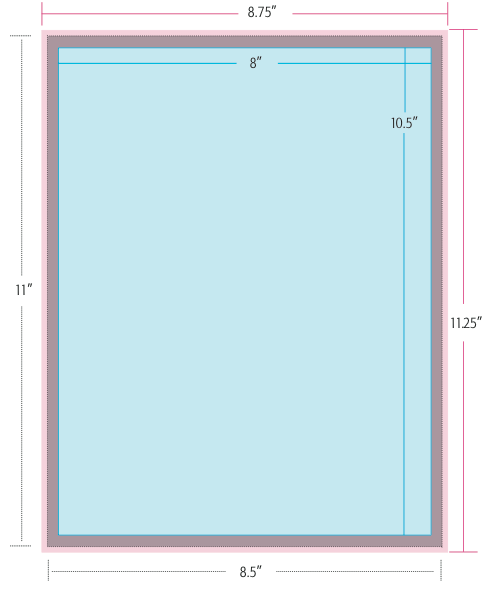
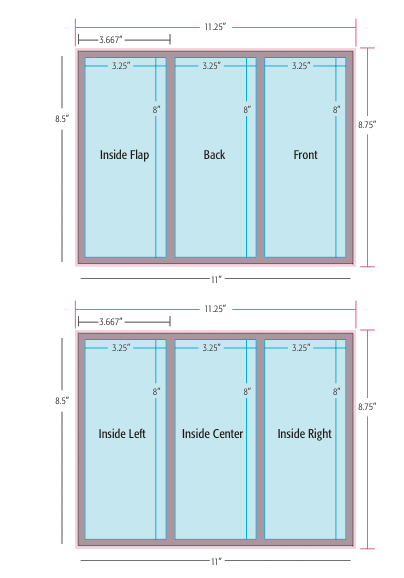
Preparing your design files properly is one of the most important steps to ensure accurate and professional printing. At IMAGE ZONE, we want your prints to come out exactly the way you envision them. That’s why we’ve provided a set of correct layout examples to help you visualize best practices before submitting your files. Whether you’re creating business cards, postcards, brochures, banners, or custom labels, understanding bleed, trim, and safe zones will help you avoid costly errors and production delays.
A well-prepared layout not only ensures precision but also preserves the integrity of your design elements. From text alignment and resolution to color modes and file types, our guide illustrates how to format your artwork for success. Our goal is to streamline your printing experience, so you spend less time fixing files and more time promoting your brand or event with high-quality printed materials.
What Makes a Layout "Correct"?
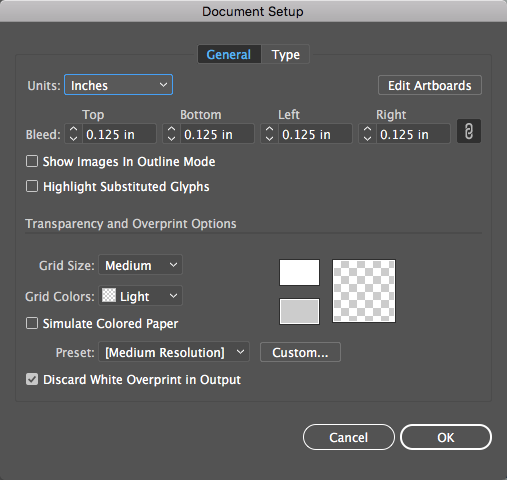
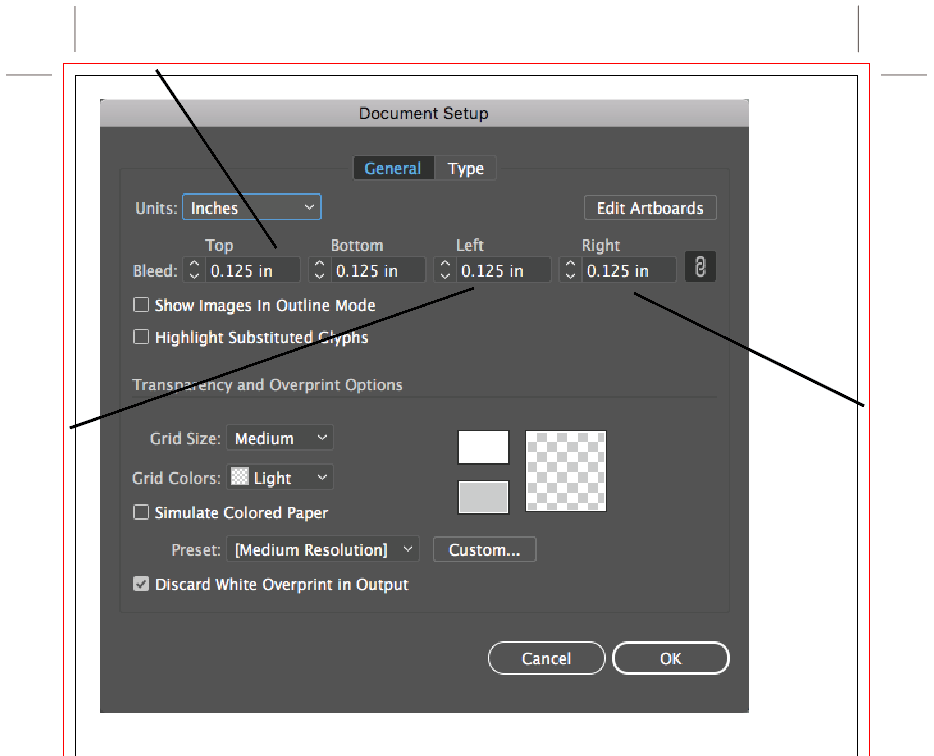
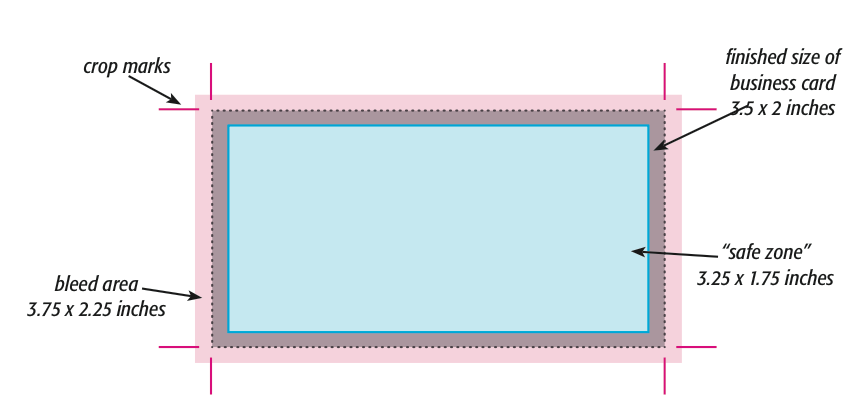
- Bleed Area: Extend backgrounds and artwork 1/8" beyond the trim line to avoid white edges when trimmed.
- Trim Line: This is where the final cut will be made. Make sure no critical elements cross this line.
- Safe Zone: Keep text, logos, and key elements at least 1/8" inside the trim edge to prevent accidental trimming.
- Resolution: Files should be at least 300 DPI for sharp, professional results in print.
- Color Mode: Always use CMYK for printing. RGB files may print with unexpected color shifts.
- File Types: We accept PDF, EPS, AI, and high-resolution JPGs. Flattened files or outlined fonts prevent font issues.
Common Layout Mistakes to Avoid
- Placing text too close to the edge
- Forgetting to add bleed
- Using low-resolution graphics or images pulled from the web
- Submitting RGB color files instead of CMYK
- Uploading incomplete or layered artwork with missing fonts
We're Here to Help
If you're unsure whether your artwork is properly formatted, don't worry—our prepress team reviews every file before it goes to print. If we spot a potential issue, we'll contact you to discuss next steps. For customers who need a little extra help, we also offer file setup and design services to ensure everything is optimized from the start.
Serving Murrieta, Temecula & Beyond
IMAGE ZONE proudly works with customers throughout Murrieta, Temecula, Menifee, and the surrounding Inland Empire. Whether you're a seasoned designer or new to print production, we’re committed to making your printing process simple, efficient, and error-free. Visit our shop, email your files, or call with questions—we’re happy to walk you through it.
Call: 951-304-1330
Email: info@izprinting.com