How to Export Print-Ready PDFs from Adobe Photoshop
Creating high-quality print files in Adobe Photoshop requires careful attention to resolution, color mode, bleeds, and file format. At IMAGE ZONE, we accept press-ready PDFs exported directly from Photoshop, as long as they meet our specifications for commercial printing. Whether you’re preparing flyers, business cards, postcards, or signs, a properly formatted PDF helps ensure your final product matches your vision.
Photoshop was originally built for raster-based image editing, but it can still be used to create print-ready layouts when handled correctly. Below, we outline the steps to create a clean, high-resolution PDF file that is ready to print at our shop in Murrieta or ship anywhere you need.
Recommended Document Settings
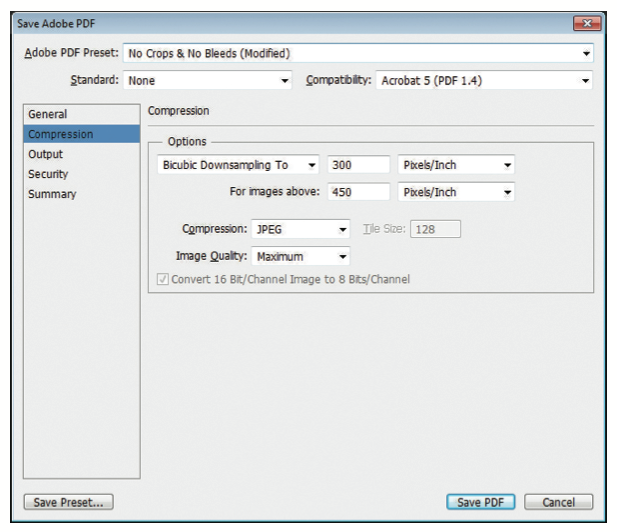
- Resolution: 300 dpi (dots per inch) minimum for print quality
- Color Mode: CMYK (Cyan, Magenta, Yellow, Black) – not RGB
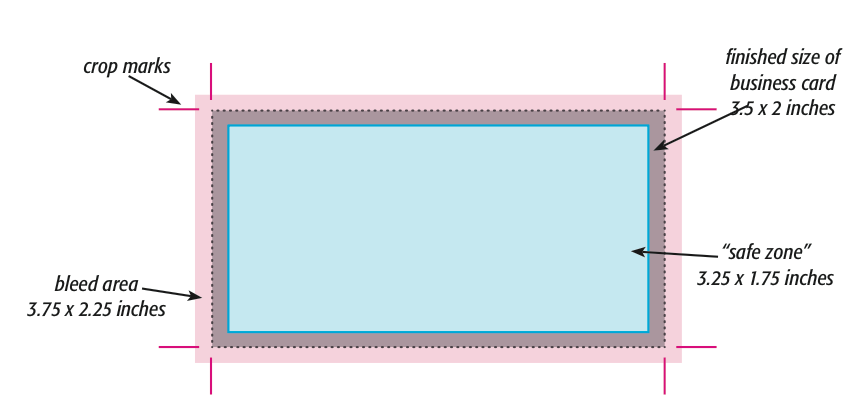
- Bleeds: Extend your background artwork .125" beyond each edge
- Safe Zone: Keep text and important content .125" inside the trim line
- Canvas Size: Include bleed in the canvas dimensions (e.g., 3.75" x 2.25" for a 3.5" x 2" business card)
Steps to Export a PDF
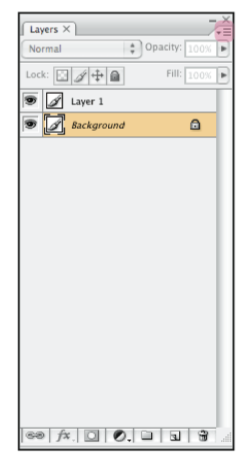
- Flatten your layers if transparency is not required
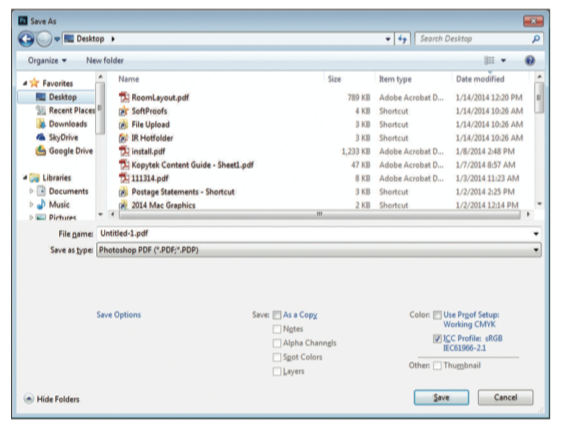
- Go to File > Save As and choose “Photoshop PDF” as the format
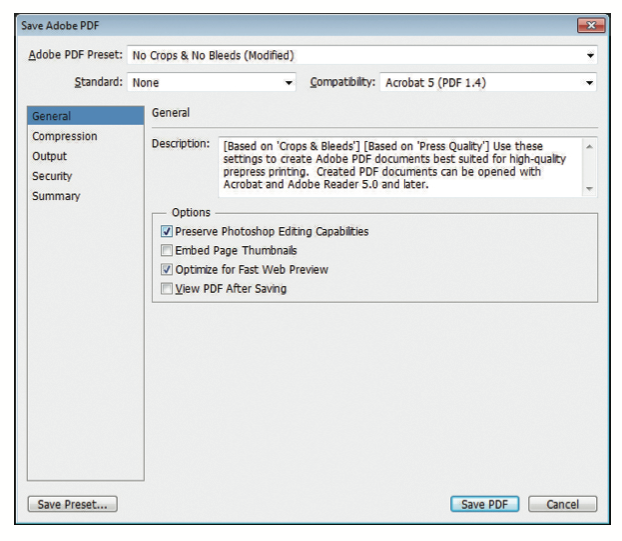
- In the PDF options dialog, select “High Quality Print” preset
- Uncheck “Preserve Photoshop Editing Capabilities” to reduce file size
- Ensure that color conversion is set to “No Conversion” if you’re already in CMYK
- Embed color profile if you're using a specific output intent (like U.S. Web Coated SWOP)
Why This Matters
Many print issues arise from low-resolution images, missing bleeds, or incorrect color settings. By following our guidelines, you help eliminate costly reprints or color shifts. A properly exported PDF ensures that your design prints exactly how it appears on screen—sharp, aligned, and vibrant.
Local Print Support in Murrieta & Temecula
IMAGE ZONE offers prepress support for Photoshop users in the Murrieta, Temecula, and surrounding areas. If you need help adjusting file size, adding bleeds, or converting your color mode, bring your file in or email it to us. We’ll check it before printing and suggest any fixes if needed.
Questions? Let’s Talk
If you're unsure whether your Photoshop PDF is ready for production, we’re happy to help. We also provide sample prints and test runs to give you peace of mind before full production begins.
Call: 951-304-1330
Email: info@izprinting.com